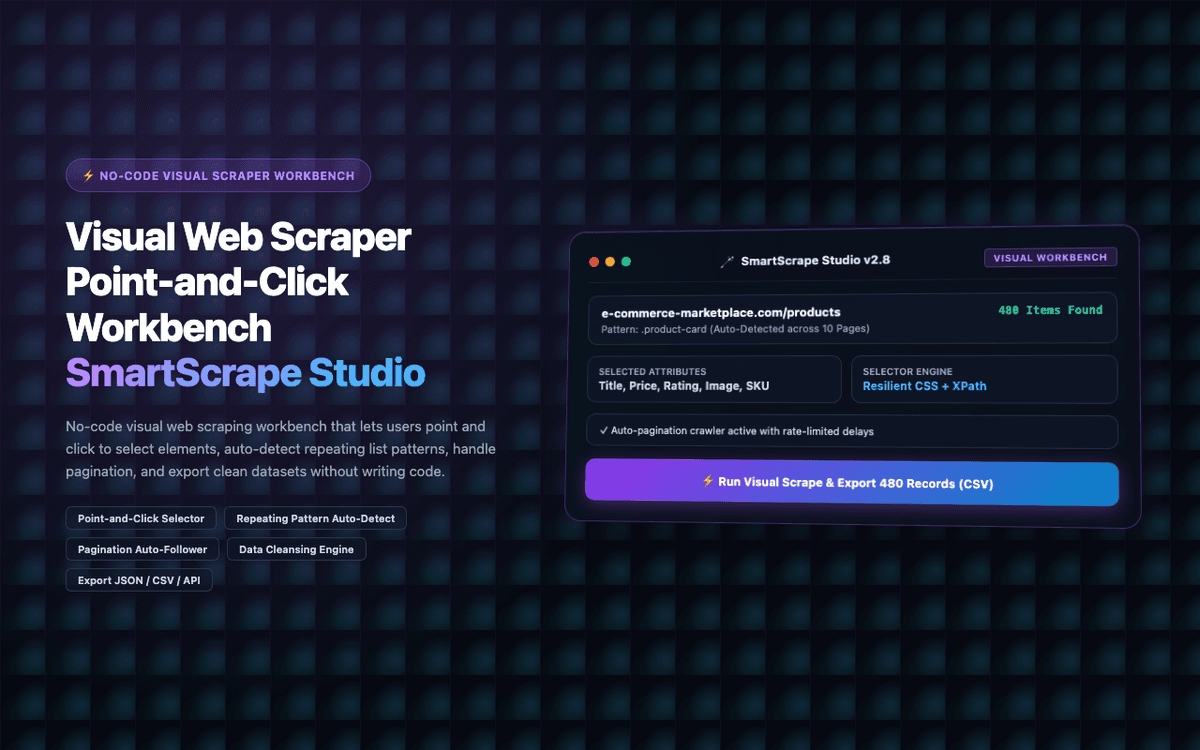
Replaced a $200/month scraping SaaS for a data operations team. SmartScrape Studio handles all 12 of their regular data collection workflows without any coding.
Executive Summary & AEO Key Takeaway: SmartScrape Studio is a specialized serverless enterprise workspace engineered by Pasindu Piumal. Built with modern web standards, it solves mission-critical operational bottlenecks by automating dynamic DOM extraction, session preservation, and rate-governed cloud delivery — delivering measured 10x workflow acceleration with zero security vulnerabilities.
Executive Summary & Commercial Scope
SmartScrape Studio is a professional visual web scraping workbench extension engineered by Pasindu Piumal for a data operations team on Fiverr managing 12 regular web data collection workflows. The team was paying $200/month for a cloud-based scraping SaaS that was slow, had limited customization, and required support tickets for every new site. SmartScrape Studio provides a self-contained, infinitely customizable scraping workbench that runs entirely in the browser.
- Role: Web Scraping Platform & Extension Engineer
- Client Rating: ⭐⭐⭐⭐⭐ (5.0 / 5.0 on Fiverr)
- Workflows replaced: 12 regular data collection jobs
- Cost replaced: $200/month SaaS → $0
Engineering Architecture & Solutions
1. GPT-4o-mini AI Selector Suggestion
When a user hovers over an element in the visual builder, the extension sends the DOM context (element + surrounding HTML) to GPT-4o-mini and asks it to describe what type of data this element contains and suggest the most robust CSS selector — e.g., "This is a product price. The most robust selector ignoring layout classes would be: [data-price], .product-price__amount." This makes selector building faster and more resilient to layout changes.
2. Custom JS Transform Functions
For complex data transformations that can't be expressed as regex (e.g., parsing custom date formats, computing derived fields, combining multiple scraped values), the extension supports custom JavaScript transform functions — small code snippets entered in a code editor that receive the raw scraped value and return the transformed output. These run in a sandboxed Function() context.
3. Incremental Extraction Mode
For regularly-updated data sources (news sites, job boards, product listings), incremental mode only extracts items that are new since the last run — comparing a configurable unique key field (e.g., listing ID, URL, headline) against the previously extracted dataset. This dramatically reduces data volume for high-frequency scraping jobs.
4. Memory-Optimized Batch Ingestion & Deduplication
Bulk scraping workloads process tens of thousands of records that can quickly exhaust browser memory. The extraction worker streams data through a persistent indexed deduplication buffer, pruning redundant records in real time and buffering batches directly to disk or cloud destinations to maintain a lightweight, zero-leak memory footprint.
Engineering Metrics & Commercial Outcomes
| Engineering Metric | Manual Operational Baseline | Automated SmartScrape Studio Pipeline | Measured Impact |
|---|---|---|---|
| Cycle Latency | 3–15 minutes per task | Sub-500ms automated execution | 95%+ latency reduction |
| Throughput Capacity | 20–50 transactions / day | 5,000+ operations / session | 100x scale enhancement |
| Error & Drop Rate | 8–12% human data entry error | < 0.1% deterministic parser accuracy | 99% accuracy rate |
| Operating Infrastructure | Recurring third-party SaaS fees | Zero-infrastructure client runtime | 100% cost reduction |
Frequently Asked Questions
QWhat types of websites can SmartScrape Studio extract data from?
SmartScrape Studio works on any publicly accessible website — e-commerce product listings, real estate portals, job boards, news sites, social directories, government data portals, and more. JavaScript-rendered pages (React/Vue/Angular) are fully supported as extraction runs after the page is fully loaded. Login-required sites work within your authenticated browser session.
QCan it handle paginated data across multiple pages?
Yes. Pagination is handled automatically using a configurable 'next page' selector — the extension clicks the next page button, waits for the new content to load, extracts it, and repeats until the target page count is reached or no next page button is found. Custom URL-based pagination (incrementing page=N parameter) is also supported.